Record the model and source
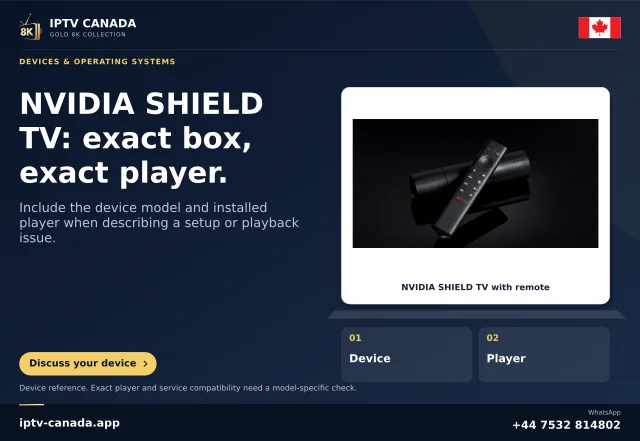
Find the exact SHIELD generation and whether it is Pro. Record installed software and the permitted reference's resolution, frame rate and colour information where known. The family name alone does not identify the relevant limit.
A television receiving4K does not establish native4K source detail. Upscaling forms a larger output from a lower-resolution image; it does not turn the source into a separately produced4K programme.
Reconcile current and historical documentation
NVIDIA's current standard-model and Pro specifications differ in AI-upscaling frame-rate scope. Its historical8.2 release notes document the 2019 Pro60fps enhancement, while parts of the older guide still describe a30Hz restriction.
Use the exact model and relevant software evidence together. Do not copy the old guide restriction as a universal rule for Pro, or apply the Pro specification to every SHIELD.
Use the documented comparison controls
NVIDIA describes AI-upscaling controls and a comparison demonstration. Note the current mode and compare the same passage using the offered controls on the actual device. Check small detail, edges and motion at the usual seating distance.
A more pronounced edge is not automatically a more faithful source detail. Keep the television's sharpening and picture preset unchanged during the device comparison.
Observe eligibility and fallback
If the preferred AI mode is not active, inspect the actual source configuration and model qualifications. A fallback can be expected for an ineligible condition. Do not infer that the subscription or player licence controls the scaler from that observation alone.
Record the mode shown and the reference properties instead of guessing from how sharp a menu looks.
Keep the result specific
Retain a preference because it improves the intended viewing task without objectionable artefacts. Recheck another normal source and restore an unhelpful change.
This workflow reconciles official documentation and proposes a comparison. No SHIELD, source or IPTV Canada account was physically tested. It does not promise that every app exposes accurate metadata or that an AI setting recovers original information absent from the source.
Compare the whole passage
A scaler can make a static edge look stronger while changing moving texture or introducing an outline. Replay a complete short passage rather than stopping at the most flattering frame. Keep any split-screen demonstration position documented, and return to the ordinary full picture afterward. The preference should help real viewing from the normal seat, not merely produce the largest apparent difference in a close-up demonstration.
Sources and scope
Scope notes distinguish published documentation, supplied information and editorial methods. They do not report a hands-on service test.
- NVIDIA SHIELD TV guide — Official current guide excerpts: microSD removable/device storage, display modes and experimental frame-rate matching; model/software qualifications retained.
- NVIDIA SHIELD TV Pro guide — Official guide sections inspected: USB port computer-transfer role, remote controls and maintenance. Guide's older AI limit is not treated as overriding newer Pro specifications.
- NVIDIA SHIELD TV Pro current specifications — Official current product excerpt: Pro AI-upscaling capability; a specification is not a physical IPTV playback test.
- NVIDIA SHIELD TV current specifications — Official current product excerpt: standard model AI-upscaling scope; no current price or purchase recommendation.
- NVIDIA SHIELD Experience8.2 release notes — Official historical release excerpt:2019 Pro60fps AI enhancement, used to reconcile an older guide statement rather than claim a newly released feature.