Choose the platform before the badge
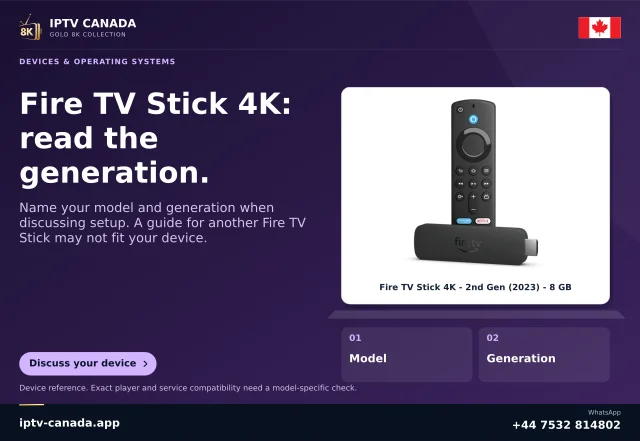
A television brand does not determine which apps an external device can run. A Google TV device, Apple TV, Roku and Fire TV have different software routes. Fire TV also now spans Fire OS and Vega OS models. Select the exact player and supported device combination first, rather than assuming every stick accepts an Android APK.
Check the player’s developer and any licence cost. Confirm the service access type and device/connection allowance before buying extra hardware solely for one app.
Connect and configure using manufacturer instructions
Use the device’s supplied power arrangement and the television input recommended for the capabilities you need. Follow the device’s official first-run account, network and software-update process. A television’s HDMI port number and enhanced-input options can be model-specific, so use its manual rather than a universal menu claim.
Test the actual arrangement
- Confirm the device home screen and remote work.
- Find the genuine compatible player in its supported store.
- Configure the authorised access method privately.
- Open permitted media with picture, sound and required captions.
- Check that the remote can reach menus, playback controls and exit actions.
A 4K output setting describes the connection/display path, not necessarily native detail in the selected programme.
Keep the old working route recoverable
Do not erase a functioning TV configuration merely to try the external device. If the test fails, record the stick/box model, OS, app and symptom. A different app platform can solve an app-availability mismatch, but it is not a guarantee against account, media or network issues. No physical HDMI or IPTV Canada service test was performed for this guide.
Check the new platform without erasing the old one
Keep the television’s original apps and settings intact while evaluating the external device. This lets you compare the two paths without losing a working setup. Record the external model, OS and player, rather than describing the test only as “HDMI works.” A visible device home screen confirms an input/display stage, while account login and media playback remain separate checks.
If picture works but sound is absent, record the actual connection chain, including a receiver or dock where present, and use the relevant manufacturer guidance. If remote controls cannot reach a required app button, investigate the TV edition and input design rather than buying a service renewal. An external box changes the application platform; it does not guarantee a missing feature, a second permitted account connection or native 4K/8K source detail.
Related questions
Will any HDMI stick solve a missing-app problem?
No. Check its OS and the exact player’s availability first.
Does 4K HDMI output prove the source is 4K?
No. Source detail and display output are separate facts.
Sources and scope
Scope notes distinguish published documentation, supplied information and editorial methods. They do not report a hands-on service test.