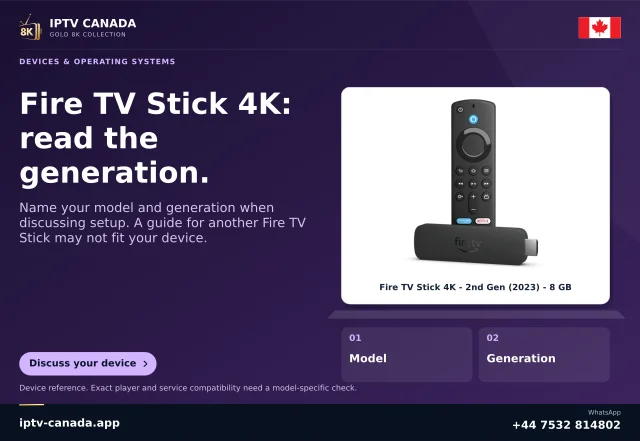
Record the actual unit before choosing instructions
Keep the retail model, generation, build model and installed software version together. Use the device-information area offered by the actual product and compare the result with Amazon’s current device table. A reseller’s Firestick label is insufficient when the same family contains different operating systems.
Amazon’s table currently identifies Fire TV Stick 4K third generation 2026, build AFTCR001, as Vega OS 2.0. It also lists 2026 Stick HD AFTCL001 and 2025 Stick 4K Select AFTCA002 as Vega, while 2025 Stick 4K Plus AFTMA08C15 is Fire OS 8. These are documented examples, not an exhaustive buying list or a claim that every product is sold in Canada.
Choose the native platform branch
| Identified platform | Appropriate app evidence | Installation assumption to avoid |
|---|---|---|
| Fire OS | The exact Amazon Appstore listing and its device requirements. | A phone APK necessarily has suitable dependencies and remote controls. |
| Vega OS | A Vega release or an exact selected Amazon cloud-hosted listing. | An ordinary Fire OS APK runs natively on the box. |
Amazon’s October 30, 2026 developer guidance explicitly says Vega is not Android and a Fire OS APK does not run there. Its porting workflow is an engineering migration into a Vega app, not an end-user installation trick. Do not confuse a developer producing a new package with a customer making an incompatible package work by renaming it.
Interpret the cloud-hosted exception accurately
Amazon’s Cloud App Program applies only to apps Amazon selects. A participating Appstore detail page identifies an Amazon cloud-hosted app. The user receives a small VPKG wrapper that connects to the Fire OS APK running in an AWS container.
The documented architecture streams the application interface from that container, while the device fetches and decodes the video locally. This does not turn an arbitrary downloaded APK into a native Vega app. If the actual listing is absent, the existence of the programme does not establish that a particular player participates or that its features have been assessed on this device.
Inspect the offered player before entering access
Search the normal store on the identified unit for the developer’s exact player. Check its publisher, device scope and any purchase or activation conditions. Keep a record of the app version and whether the listing describes a native or cloud-hosted route.
Then establish which account format the player accepts. A service login, a player licence and the platform account are separate objects. Installing an app does not create service access or increase an account’s permitted simultaneous connections. An app with a similar icon should not receive credentials intended for a different developer’s product.
Verify control, account and media as separate stages
Use the physical remote to reach every required field, correct a harmless sample entry and close the keyboard. Confirm a visible focus indicator and a clear way back from the form. A touchscreen-oriented interface can be unsuitable even if a package installed.
With permitted access, check one identifiable authorised sample. Note whether the app opened, the account was accepted, playback began, sound reached the intended output and a supplied subtitle track could be selected. Report the failed stage rather than replacing every symptom with an installation problem.
Keep the working setup and escalate the specific uncertainty
Before changing applications or resetting storage, preserve the model, OS, app version and current account method. If the app is missing from the relevant store, provide those details to the service and player developer and ask which exact release can be assessed. Do not substitute an unrelated download code as evidence of platform support.
This guide follows Amazon’s current primary documentation. No Fire TV unit, physical remote or IPTV Canada account was tested. It provides a model-based decision and verification procedure rather than certifying a player, promising Canadian catalogue access or endorsing an unreviewed binary.
Related questions
Will an APK work on every Fire TV?
No. An ordinary Fire OS Android APK is not a native Vega OS package, and phone apps may also lack a usable TV interface.
Does an Amazon cloud-hosted app mean all Fire OS apps are available?
No. Amazon selects participating apps; check the exact listing on the device.
Sources and scope
Scope notes distinguish published documentation, supplied information and editorial methods. They do not report a hands-on service test.
- Amazon: current Fire TV model and OS table — Full primary table inspected November 4, 2026; exact AFTCR001/AFTCL001/AFTCA002/AFTMA08C15 examples, not exhaustive availability.
- Amazon: Fire OS to Vega migration — Primary October 30, 2026 developer body: native APK incompatibility and engineering migration, not user sideload workaround.
- Amazon: selected Cloud App Program — Full primary selected-listing/VPKG/cloud UI/local video architecture; not arbitrary APK compatibility.